Homelab Builds

Practical homelab builds for infrastructure engineers. This is where enterprise skills meet kit you can actually afford. Guides cover mini PC clusters, refurbished Dell and HPE servers, Proxmox hypervisor setups, network segmentation with VLANs, and the power and cooling tradeoffs that matter when you run 24/7 at home. Every build documented here has either sat in a production rack or a real spare bedroom. No theoretical gear lists, no affiliate filler. If you want to learn Kubernetes on a £120 refurbished OptiPlex or run a dozen self-hosted services on a Pi cluster, start here. The homelab is a professional development environment, and this is how we treat it.

Editorial card: Project NOMAD, self-hosted internet in a box

Project NOMAD: Offline Wikipedia, Maps and a Local AI

A weekend rabbit hole worth sharing. I stumbled across Project NOMAD a few days ago. It’s an open-source bundle (Apache 2.0, runs in Docker) that puts the useful parts of the internet on a mini-PC or any spare x86 box. The first thing that surprised me was that I’d never heard of it. The second

Project NOMAD: Offline Wikipedia, Maps and a Local AI Read More »

Gitea on Raspberry Pi 5: Self-Hosted Git for Your Homelab Infrastructure

Gitea: Own Your Code, Track Your Infrastructure You have spent the last nine guides building something real. Docker containers, monitoring, automation workflows, reverse proxies, maybe even a Kubernetes cluster. Your Pi is running production services. Configuration files are scattered across directories. Compose files tuned through trial and error. Environment variables that took three attempts to

Gitea on Raspberry Pi 5: Self-Hosted Git for Your Homelab Infrastructure Read More »

n8n on Raspberry Pi 5: Visual Workflow Automation for Your Homelab

n8n: Connect Everything With Visual Workflow Automation You have got a collection of services running on your Pi. Docker containers doing their thing. Uptime Kuma watching them. Ollama summarising text. Pi-hole filtering DNS. Each one works. None of them talk to each other. That is the difference between having containers and having infrastructure. Infrastructure is

n8n on Raspberry Pi 5: Visual Workflow Automation for Your Homelab Read More »

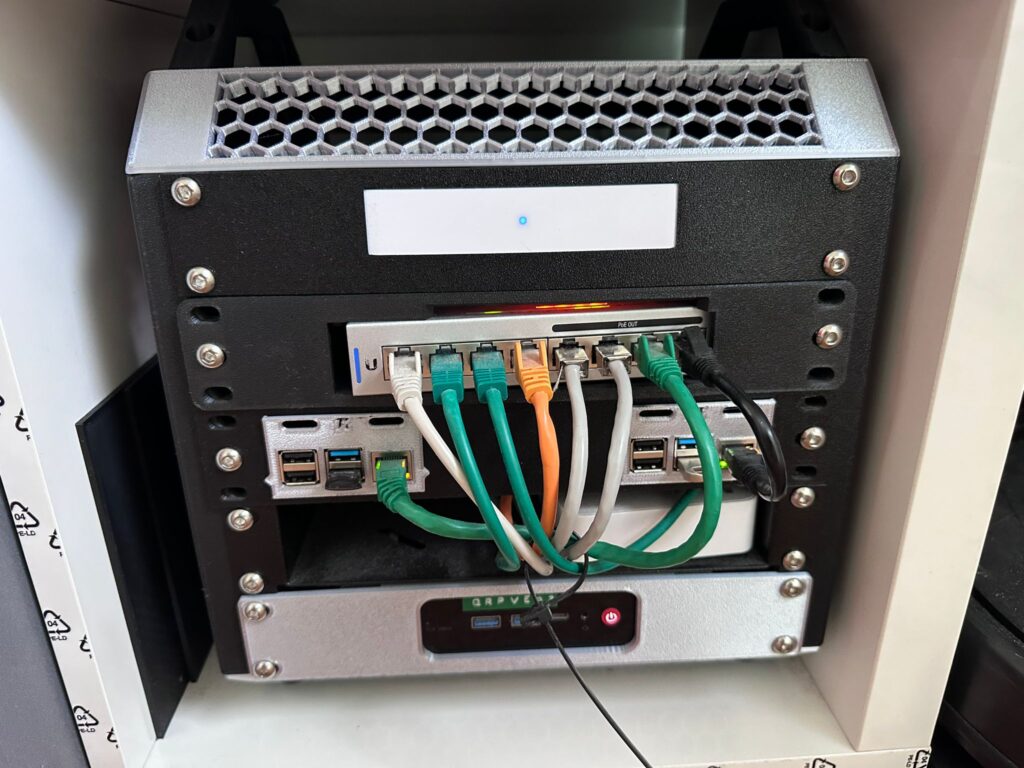
IKEA Kallax repurposed as a home server rack with UniFi gateway, PoE switch, Raspberry Pi and a mini-PC dressed in colour-coded cabling

How to Host Your Own Website in 2026: Four Realistic Options

The hosting landscape has fundamentally changed in the last three years. If you last looked in 2022, you probably still think the choice is “shared hosting for a tenner a month, or a VPS if you’re technical.” In 2026 there are four realistic ways to put a website on the public internet, and the right

How to Host Your Own Website in 2026: Four Realistic Options Read More »

Uptime Kuma on Raspberry Pi 5: Self-Hosted Monitoring That Builds SRE Skills

Uptime Kuma: Know When Things Break Before Anyone Tells You Here’s a question that changed how I think about my homelab: if Pi-hole goes down at 2am, how would you know? Not how would you fix it — how would you even know it happened? You’d wake up, your family would complain that the internet

Uptime Kuma on Raspberry Pi 5: Self-Hosted Monitoring That Builds SRE Skills Read More »

Ollama on Raspberry Pi 5: Run Local AI Models for Data Sovereignty and Career Growth

Ollama on Raspberry Pi 5: Run Local AI Models on Your Own Hardware Let me set expectations immediately: a Raspberry Pi 5 is not going to replace ChatGPT. It’s not going to run Llama 3 70B. It’s not going to generate images or do real-time voice transcription at any useful speed. What it will do

Ollama on Raspberry Pi 5: Run Local AI Models for Data Sovereignty and Career Growth Read More »

Home Assistant on Raspberry Pi 5: Event-Driven Architecture That Gets You Hired

I’m going to let you in on a secret: the career reason to run Home Assistant has almost nothing to do with home automation. Home Assistant is an event-driven platform with a REST API, a WebSocket API, hundreds of integrations, a state management engine, and YAML-based configuration that follows the exact same patterns as Ansible,

Home Assistant on Raspberry Pi 5: Event-Driven Architecture That Gets You Hired Read More »

Nginx Proxy Manager on Raspberry Pi 5: Reverse Proxy Setup Guide with SSL

Nginx Proxy Manager on Raspberry Pi 5: Proper URLs and SSL for Your Homelab You’ve got Docker running. Portainer’s giving you visibility. Pi-hole’s cleaning up your network. And you’re accessing everything by typing IP addresses and port numbers into a browser like it’s 2003. http://192.168.1.100:8080 for Pi-hole. https://192.168.1.100:9443 for Portainer. Whatever port your next service

Nginx Proxy Manager on Raspberry Pi 5: Reverse Proxy Setup Guide with SSL Read More »

Pi-hole on Raspberry Pi 5: DNS Ad Blocking Setup Guide with Docker

Pi-hole on Raspberry Pi 5: Network-Wide Ad Blocking and DNS You Control Of all the projects in this series, Pi-hole delivers the fastest return on investment. Not in some abstract career-value sense — in the “my partner just thanked me for making the internet less annoying” sense. Within ten minutes of pointing your router at

Pi-hole on Raspberry Pi 5: DNS Ad Blocking Setup Guide with Docker Read More »

Scroll to Top