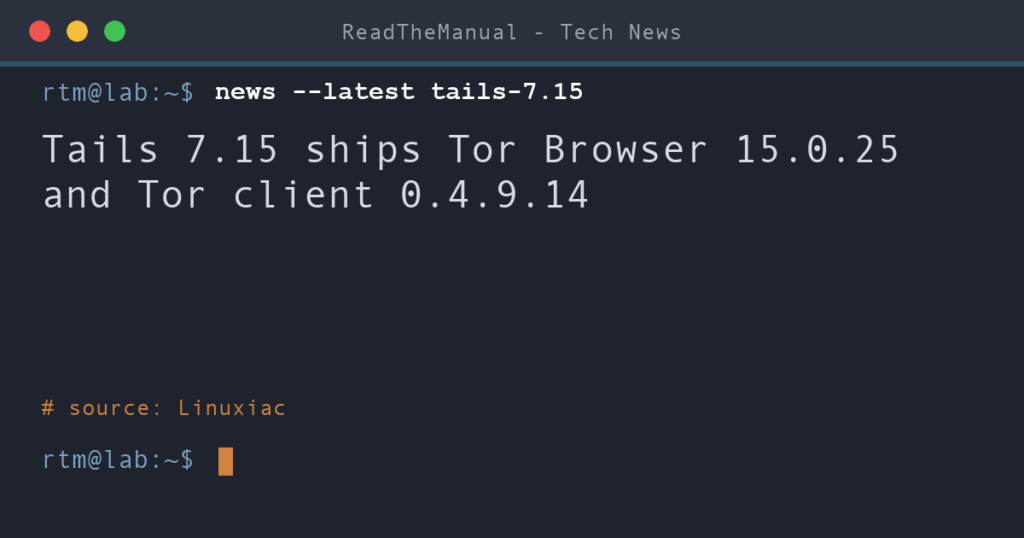
If you carry a Tails stick, upgrade it to 7.15 now: it brings Tor Browser 15.0.25 and Tor 0.4.9.14, and both are security releases. On Tails 7.0 or later, back up your Persistent Storage, connect to Tor and accept the automatic upgrade. Tails 7.15 came out on 13 October 2026 and is still the current release.
Last updated 16 October 2026. Sources are linked in the text and listed at the end.
What changed
The Tails changelog is short: Tor Browser goes from 15.0.24 to 15.0.25, the Tor client from 0.4.9.13 to 0.4.9.14, and some firmware packages are updated, which the project says improves support for newer graphics and Wi-Fi hardware. Tails moved to a two-week release cadence with 7.12 in September, so on that rhythm the next release is due in late October.
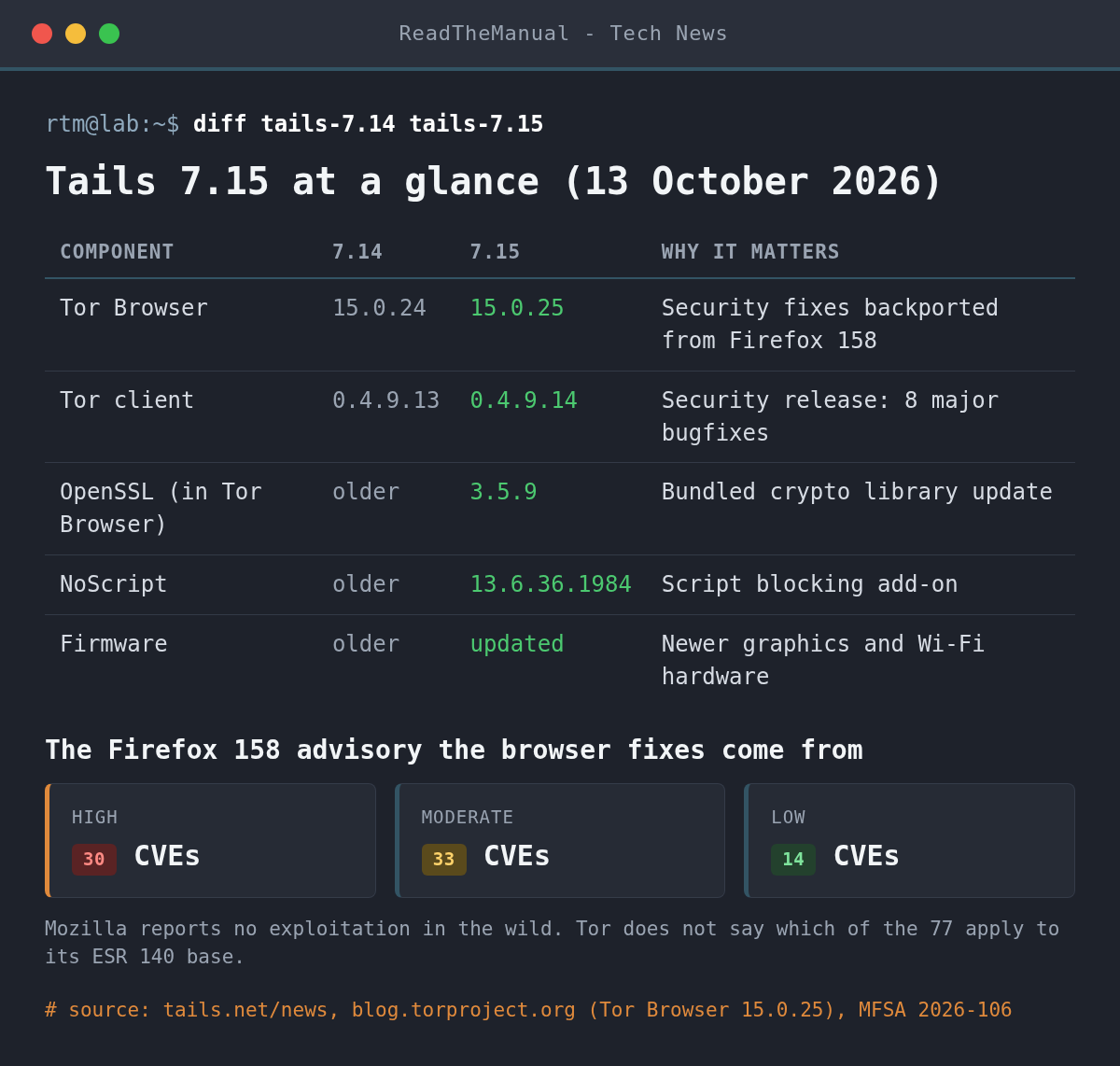
Tor Browser 15.0.25 (12 October) updates Tor, NoScript to 13.6.36.1984 and OpenSSL to 3.5.9, and carries one line that matters most: “Backport Security Fixes from 158”. Tor Browser 15 is built on Firefox ESR 140, and Mozilla’s final scheduled ESR 140 update was 140.17 on 29 September. Since then the Tor Project has been porting fixes onto that base itself. The source of this batch is Mozilla’s MFSA 2026-106 for Firefox 158: 77 CVEs, 30 rated High, including sandbox escapes in networking and graphics, use-after-free bugs and several JavaScript JIT miscompilations. Mozilla reports none as exploited in the wild. The Tor Project does not say which of the 77 apply to its older base, so treat the advisory as the ceiling, not a checklist. Tor Browser 16, rebased on ESR 153, is still in the alpha channel.
Tor 0.4.9.14 (7 October) is labelled a security release that touches relays, clients, onion services and directory authorities. The fixes a Tails user benefits from directly:
- MiddleOnly flag ignored by clients (TROVE-2026-067): clients could pick relays the authorities had restricted to the middle position for onion service circuits.
- Circuit cancellation: cancelling a circuit early could drop a working guard connection, and a remote party could trigger extra TLS connections to your guard, which the changelog says could aid traffic analysis.
- Circuit build timeout: stale entries could pin the timeout too low and break connectivity.
- Onion services: services once again close circuits asking for ports they do not serve, which slows port scanning, plus a fix for intro point re-extension.
What it means for your homelab
Tails is the amnesic system you boot when the machine in front of you is not one you trust, or when you do not want the session to leave anything behind. That makes the browser its biggest attack surface, and this release is mostly browser fixes. An out-of-date Tails stick in a drawer is the realistic risk here: it keeps working, so nothing prompts you until you next connect to Tor.
Two practical notes. First, if a page does not need scripts, the Safest security level in Tor Browser (the shield icon) turns JavaScript off entirely, which takes the JavaScript engine and JIT bugs in this advisory out of play. Second, running Tails in a virtual machine is fine for trying it, but the Tails documentation warns that the host and hypervisor can see everything the VM does. A VM tests the desktop; it is not where you use Tails for real.
How do you check and upgrade Tails?
Check your version from Apps ▸ Tails ▸ About Tails. Anything below 7.15 needs the upgrade.
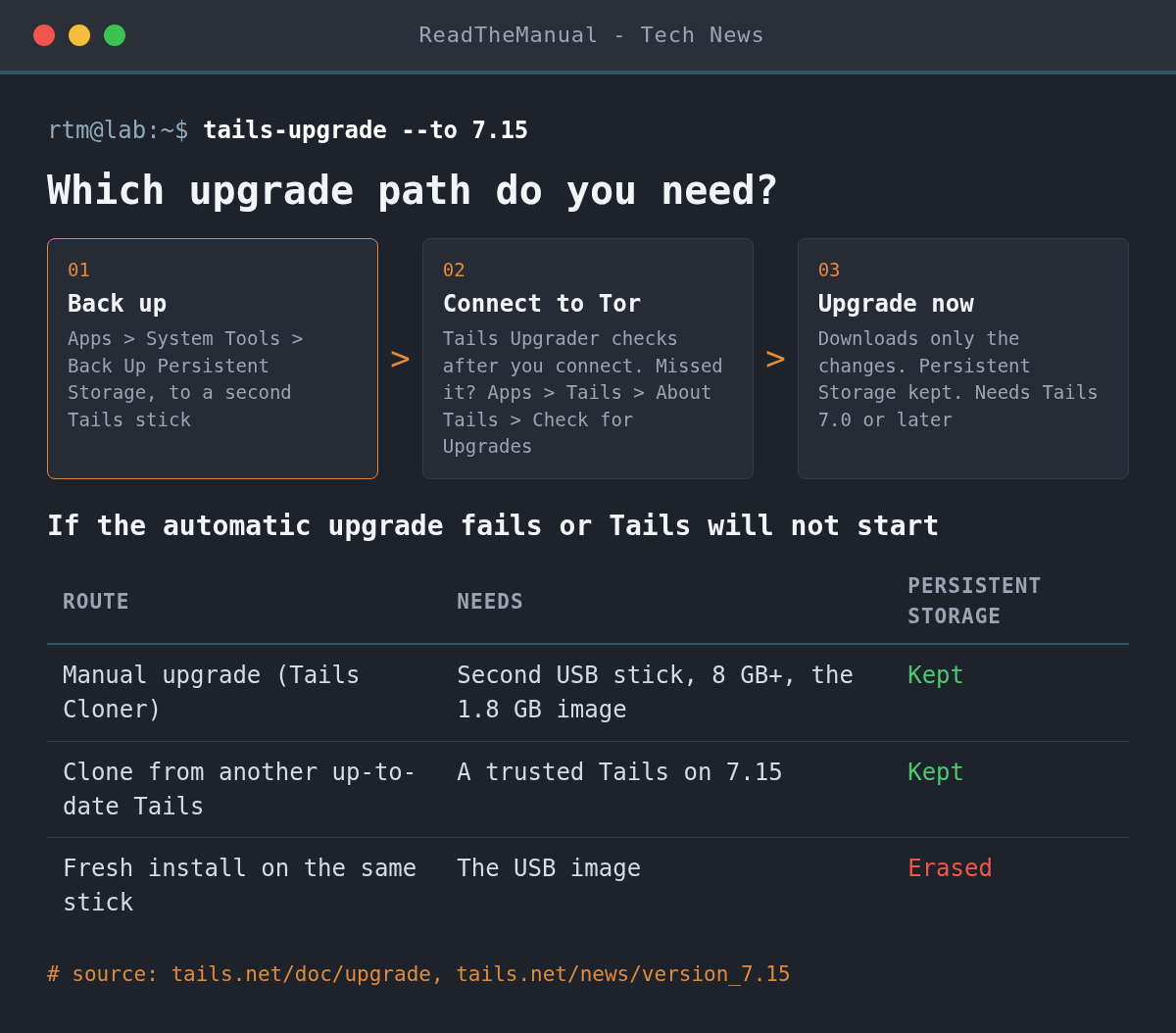
- Back up first. Upgrades keep Persistent Storage, but a failed one can leave a stick that will not boot. With a second Tails stick plugged in and Persistent Storage unlocked, use Apps ▸ System Tools ▸ Back Up Persistent Storage. For a first backup, clone with Apps ▸ Tails ▸ Tails Cloner and tick the option to clone Persistent Storage (backup guide).
- Automatic upgrade. Start Tails and connect to Tor. Tails Upgrader checks over Tor and offers the upgrade; click Upgrade now. It downloads only the changes since your last manual upgrade. If you dismissed the prompt, go to About Tails and click Check for Upgrades.
- Manual upgrade if the automatic one fails, you are short of memory or free space, or the stick will not start afterwards. You need a second empty USB stick of 8 GB or more and the 1.8 GB image. You cannot upgrade the stick you are running from, so you build an intermediary Tails, then use Tails Cloner from it. The upgrade guide covers doing this from Tails, Windows, macOS or Linux.
- Do not reinstall over a working stick. Writing the USB image to your existing stick erases Persistent Storage. Keep fresh installs for new sticks.
If you are downloading the image on Linux for a new stick, verify it before you write it. The download page checks the file in your browser, or you can check the OpenPGP signature (the .sig file and tails-signing.key are linked from the download page):
gpg --import tails-signing.key
gpg --verify tails-amd64-7.15.img.sig tails-amd64-7.15.img
Look for “Good signature” from the Tails developers key. A warning that the key is not certified with a trusted signature is normal unless you have signed the key yourself.
Career Context: Tor Browser running on a Firefox base that Mozilla has stopped patching, with fixes ported back by hand, is the same problem you meet in enterprise patching when a vendor’s support window closes before your migration does. Reading an advisory like MFSA 2026-106 and working out which CVEs touch the product you actually run, by component and impact rating, is a skill security analyst interviews test directly.
Sources
- Tails 7.15 (Tails project, 13 October 2026)
- New Release: Tor Browser 15.0.25 (Tor Project, 12 October 2026)
- Tor 0.4.9.14 changelog (oss-security, 7 October 2026)
- MFSA 2026-106: Security Vulnerabilities fixed in Firefox 158 and the Mozilla advisories index (Mozilla)
- Upgrading a Tails USB stick and Making a backup of your Persistent Storage (Tails documentation)
- Tails 7.15 Privacy-Focused Linux Distro Released with Tor Updates (Linuxiac)

ReadTheManual is run, written and curated by Eric Lonsdale.
Eric has over 20 years of professional experience in IT infrastructure, cloud architecture, and cybersecurity, but started with PCs long before that.
He built his first machine from parts bought off tables at the local college campus, hoping they worked. He learned on BBC Micros and Atari units in the early 90s, and has built almost every PC he’s used between 1995 and now.
From helpdesk to infrastructure architect, Eric has worked across enterprise datacentres, Azure environments, and security operations. He’s managed teams, trained engineers, and spent two decades solving the problems this site teaches you to solve.
ReadTheManual exists because Eric believes the best way to learn IT is to build things, break things, and actually read the manual. Every guide on this site runs on infrastructure he owns and maintains.
Enjoyed this guide?
New articles on Linux, homelab, cloud, and automation every 2 days. No spam, unsubscribe anytime.