Containerized Services

Docker, Docker Compose, and Kubernetes covered from first principles through to production patterns. Guides show you how containers actually work under the hood, how to write Dockerfiles that do not bloat, how to structure Compose stacks that survive upgrades, and when Kubernetes is genuinely the right tool versus when it is massive overkill. Every tutorial is built around a running service, not a hello world container that does nothing useful. If you want to understand the difference between an image and a container, why your volume mounts keep breaking, or how to move from Compose to k3s without pain, start here.

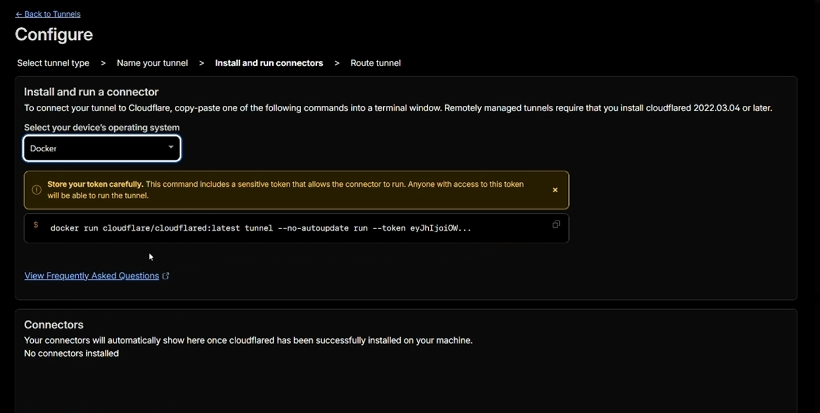
Install and run connectors page with Docker selected and the token-bearing docker run command visible

How to Set Up Cloudflare Tunnels on Debian (2026)

Port forwarding is how we exposed home services to the internet ten years ago. Nobody should be doing it in 2026. The single best free upgrade you can make to a self-hosted setup right now is replacing every forwarded port with a Cloudflare Tunnel. This post is the complete step-by-step for getting a tunnel live

How to Set Up Cloudflare Tunnels on Debian (2026) Read More »

Terminal showing docker ps output with multiple homelab containers running

10 Docker Commands Every Homelab Admin Should Know

The Commands That Actually Matter Docker has over 50 commands. You’ll use about 10 of them regularly. The rest are either for building images, managing swarm clusters, or edge cases you’ll look up once a year. This guide covers the 10 commands I run most frequently across six Docker hosts, with the flags I actually

10 Docker Commands Every Homelab Admin Should Know Read More »

Terminal showing docker compose up command deploying a multi-container stack

Docker Compose for Beginners: A Practical Guide

The docker-compose.yml used in this guide (copy-paste ready). What Docker Compose Actually Is (and Isn’t) Docker Compose is a way to define and run multi-container applications using a single YAML file. Instead of typing out long docker run commands with a dozen flags, you describe what you want in a file called docker-compose.yml and run

Docker Compose for Beginners: A Practical Guide Read More »

Debian 12 terminal with Docker Engine installed and running, showing docker version output

How to Install Docker on Debian 12 (Bookworm)

Why Debian 12 for Docker Debian is what Ubuntu is built on, but without the extras. No snap packages, no Ubuntu Pro nag screens, no Canonical telemetry, no systemd-resolved stub resolver causing DNS headaches in containers. It’s a leaner, more predictable base for a Docker host, and there’s a reason it’s the default choice for

How to Install Docker on Debian 12 (Bookworm) Read More »

Raspberry Pi 5 with SSD attached, running Docker containers in a homelab setup

How to Install Docker on Raspberry Pi (2026 Guide)

Why Docker on a Raspberry Pi Makes Sense I have three Raspberry Pis running Docker in my homelab. One handles DNS and ad blocking, another runs monitoring and a dashboard, and the third runs Listmonk for newsletter management. They draw about 5 watts each, run silently, and cost less than a month of any cloud

How to Install Docker on Raspberry Pi (2026 Guide) Read More »

Terminal showing docker compose up output for a Minecraft server container

How to Run a Minecraft Server in Docker

The docker-compose.yml used in this guide (copy-paste ready). Why Docker Is the Right Way to Run Minecraft I have set up Minecraft servers on bare metal, on VMs, on Raspberry Pis, and in Docker containers. Docker wins. Not because it is trendy, but because it solves every annoyance you will hit with a bare-metal installation.

How to Run a Minecraft Server in Docker Read More »

How to Run Pi-hole in Docker (Complete Guide)

How to Run Pi-hole in Docker (Complete Guide)

How to Run Pi-hole in Docker (DNS Ad Blocking with Docker Compose) If you are already running Docker on your server, putting Pi-hole in a container is the obvious choice. Your DNS service gets the same isolation, portability, and reproducibility as every other service in your stack. You can version control the compose file, blow

How to Run Pi-hole in Docker (Complete Guide) Read More »

Ubuntu terminal showing the sudo command prompt, ready for Docker installation on Ubuntu 24.04

How to Install Docker on Ubuntu 24.04: Full Setup + Post-Install (2026)

Not on Ubuntu 24.04? If you are running Debian 12 or Ubuntu 22.04 LTS, the steps are similar but package versions differ. See our Install Docker on Debian 12 and Ubuntu 22.04 LTS guide. The docker-compose.yml used in this guide (copy-paste ready). Why Ubuntu 24.04 Is the Docker Host You Want I run Docker across

How to Install Docker on Ubuntu 24.04: Full Setup + Post-Install (2026) Read More »

K3s: Real Kubernetes on a Raspberry Pi

K3s: Real Kubernetes on a Raspberry Pi

Let me be honest upfront: running Kubernetes on a single Raspberry Pi is over-engineered. For running a few containers, Docker Compose is simpler, lighter, and more appropriate. If your goal is purely practical — get services running with minimum fuss — you don’t need Kubernetes. That’s not the point. The point is that Kubernetes is

K3s: Real Kubernetes on a Raspberry Pi Read More »

Scroll to Top