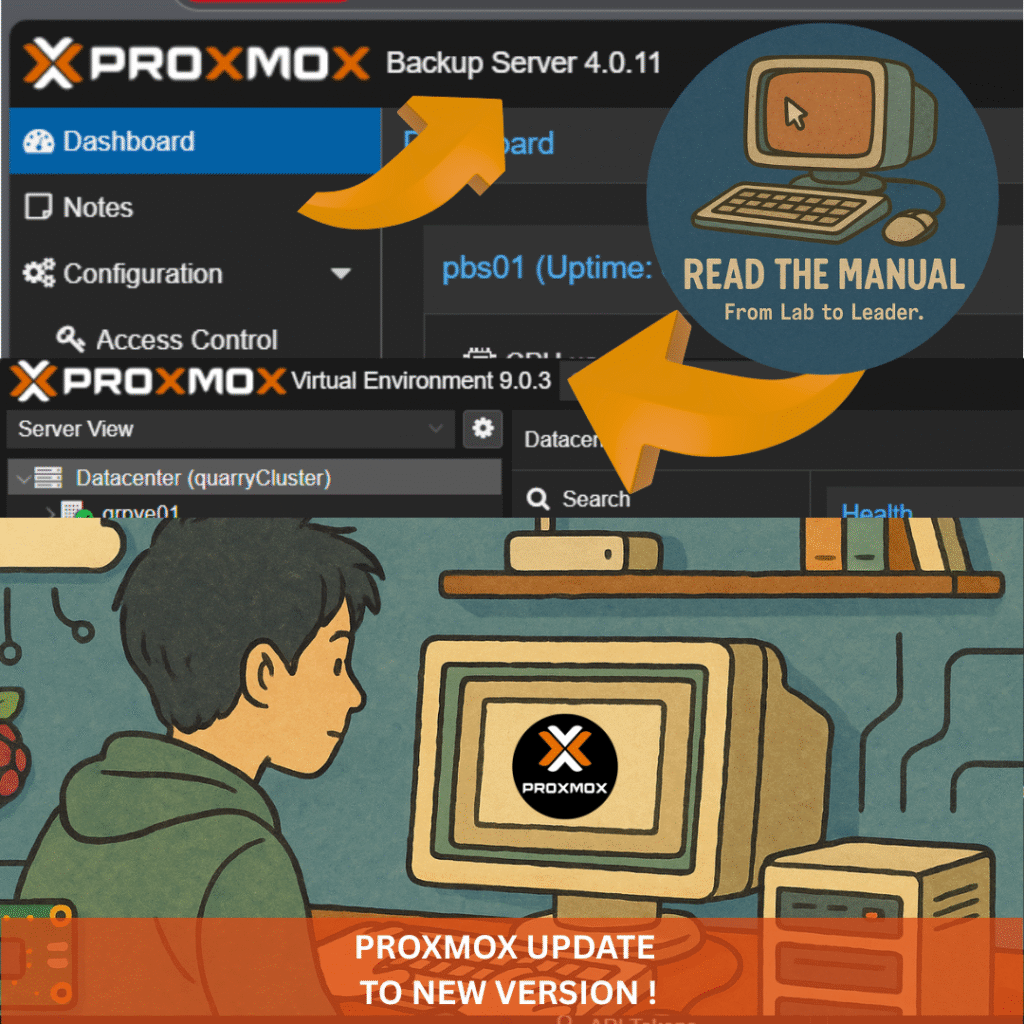
TL;DR: Proxmox VE 9 is out with a modern kernel, cleaner tooling, and homelab-friendly improvements. This guide shows you how to upgrade in place from VE 8—focusing on no-subscription (free) repositories—so you keep your VMs and custom tweaks intact.
From the homelab: I have upgraded Proxmox in-place across my cluster multiple times. It is straightforward if you prepare properly, but skipping the preparation steps is how people lose VMs. Here is the process I follow every time.
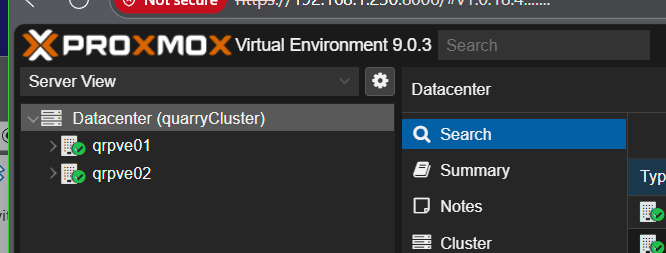
Can You Upgrade Proxmox VE 8 to 9 In-Place? (Short Answer)
Yes. Proxmox VE 8 to 9 is a supported in-place upgrade, and it works on the free no-subscription repository: update fully to 8.4 (and get Ceph onto Squid if you use it), point the Debian and Proxmox repos at trixie with the enterprise repo disabled, run apt dist-upgrade, reboot. The pre-flight script below verifies disk headroom, repo state and quorum, then runs pve8to9 --full before you commit.
Pre-Flight Check Script (Run This First)
Before touching anything, run this checks-only script on the node. It verifies disk headroom, repo sanity, pending updates, running guests, quorum and recent backup evidence, then runs the official pve8to9 --full checker. It changes nothing. The same script works on a Proxmox Backup Server, where it skips the guest and vzdump checks, checks datastores and ZFS pools, and runs pbs3to4 --full instead.
Show the full script (copy-paste ready)
#!/usr/bin/env bash
# proxmox-upgrade-preflight.sh - ReadTheManual.co.uk
# Pre-flight checks before an in-place Proxmox VE or PBS major upgrade.
# READ THE FULL UPGRADE GUIDE FIRST. This script only checks; it changes nothing.
# Run as root on the node you plan to upgrade:  bash proxmox-upgrade-preflight.sh
set -u
pass=0; warn=0; fail=0
ok(){   echo "  [PASS] $1"; pass=$((pass+1)); }
wrn(){  echo "  [WARN] $1"; warn=$((warn+1)); }
bad(){  echo "  [FAIL] $1"; fail=$((fail+1)); }

echo "== Proxmox upgrade pre-flight (checks only, no changes) =="

# 1. root?
[ "$(id -u)" = "0" ] && ok "running as root" || bad "not root - run with sudo/root"

# 2. which product + version
if command -v pveversion >/dev/null 2>&1; then
  v=$(pveversion | head -1); ok "Proxmox VE detected: $v"
elif command -v proxmox-backup-manager >/dev/null 2>&1; then
  v=$(proxmox-backup-manager versions 2>/dev/null | head -1); ok "PBS detected: $v"
else
  bad "neither pveversion nor proxmox-backup-manager found - is this a Proxmox node?"
fi

# 3. disk space (need comfortable headroom for a dist-upgrade)
for m in / /var; do
  availk=$(df -Pk "$m" 2>/dev/null | awk 'NR==2{print $4}')
  if [ -n "${availk:-}" ]; then
    availg=$((availk/1024/1024))
    if [ "$availk" -ge $((5*1024*1024)) ]; then ok "$m has ${availg}G free";
    elif [ "$availk" -ge $((2*1024*1024)) ]; then wrn "$m has only ${availg}G free - 5G+ recommended";
    else bad "$m has ${availg}G free - clear space before upgrading"; fi
  fi
done

# 4. repo sanity: enterprise repo without a subscription will 401 mid-upgrade
if grep -rqs "enterprise.proxmox.com" /etc/apt/sources.list /etc/apt/sources.list.d/ 2>/dev/null; then
  wrn "enterprise repo configured - fine WITH a subscription; otherwise switch to no-subscription first"
else
  ok "no enterprise repo configured (no-subscription path)"
fi

# 5. pending updates on the CURRENT release first (uses the cached index: run apt update first)
if apt-get -s dist-upgrade 2>/dev/null | grep -q "^Inst"; then
  wrn "pending updates on current release - fully update BEFORE the major upgrade"
else
  ok "current release fully updated"
fi

# 6. running guests (VE only) - plan a window
if command -v qm >/dev/null 2>&1; then
  running=$(qm list 2>/dev/null | awk 'NR>1 && $3=="running"' | wc -l)
  ct=$(pct list 2>/dev/null | awk 'NR>1 && $2=="running"' | wc -l)
  [ "$((running+ct))" -gt 0 ] && wrn "$((running+ct)) guest(s) running - schedule a window or migrate first" || ok "no running guests"
fi

# 7. cluster quorum (VE clusters)
if command -v pvecm >/dev/null 2>&1 && pvecm status >/dev/null 2>&1; then
  pvecm status | grep -qi "quorate.*yes" && ok "cluster is quorate" || bad "cluster NOT quorate - do not upgrade"
fi

# 8. recent backup evidence (VE only: vzdump logs exist on PVE nodes, not on PBS)
if command -v vzdump >/dev/null 2>&1; then
  newest=$(find /var/log/vzdump -type f -mtime -7 2>/dev/null | head -1)
  if [ -n "${newest:-}" ]; then ok "vzdump activity within 7 days"; else wrn "no vzdump logs in the last 7 days - take/verify backups first"; fi
fi

# 9. PBS only: datastores and ZFS pools healthy
if command -v proxmox-backup-manager >/dev/null 2>&1 && ! command -v pveversion >/dev/null 2>&1; then
  ds=$(proxmox-backup-manager datastore list --output-format json 2>/dev/null | grep -o '"name"' | wc -l)
  [ "$ds" -gt 0 ] && ok "$ds datastore(s) configured" || wrn "no datastores listed - check proxmox-backup-manager datastore list"
  if command -v zpool >/dev/null 2>&1; then
    zpool status -x 2>/dev/null | grep -q "all pools are healthy\|no pools available" && ok "zpool status -x clean" || bad "a ZFS pool is not healthy - fix before upgrading"
  fi
fi

# 10. the official checker for this product (read its output in full)
if command -v pve8to9 >/dev/null 2>&1; then
  echo ""; echo "== pve8to9 --full =="; pve8to9 --full
elif command -v pbs3to4 >/dev/null 2>&1; then
  echo ""; echo "== pbs3to4 --full =="; pbs3to4 --full
else
  wrn "official checker (pve8to9 / pbs3to4) not found - update to the latest 8.4 / 3.4 first"
fi

echo ""
echo "== Result: $pass pass, $warn warn, $fail fail =="
[ "$fail" -gt 0 ] && echo "Fix every FAIL before upgrading. Read the guide for each WARN." || echo "No hard failures. Read the WARNs, take a fresh backup, then follow the guide."
More homelab tools like this in the RTM Toolbox.
What’s New in Proxmox VE 9
- Debian 13 “Trixie” base and a newer kernel: 9.0 (August 2025) shipped kernel 6.14; 9.2 (May 2026) moved the default to kernel 7.0. An in-place upgrade today lands you on the latest 9.x point release.
- cgroup v2 only (legacy cgroup v1 is gone) for simpler, modern resource control.
- UI & API polish for faster, cleaner management.
- HA rules replace HA groups (after all nodes are on VE 9).
- pve-network-interface-pinning pins NICs to stable
nicXnames, handy when a new kernel renames an interface. - Deb822 apt sources supported, plus
apt modernize-sources. - Ceph 19.2 “Squid” for hyper-converged labs (9.2 adds Ceph 20.2 “Tentacle”, but you must be on Squid before the 8 to 9 upgrade).
Why an In-Place Upgrade for Homelabs?
- No rebuilds: Keep all VMs/CTs and configs.
- Minimal downtime: One node reboots; everything else stays put.
- No spare hardware needed: Unlike fresh installs.
- Preserve tweaks: ZFS, networking, Ceph, and custom bits remain.
Prerequisites
- Backups (required): Snapshot/backup each VM/CT to external storage. Copy key configs from
/etc/pve,/etc/network/interfaces,/etc/ssh/sshd_config, etc. - Update to the latest Proxmox VE 8.4 on every node, with the 8.x (Bookworm) repos still in place:
apt update && apt dist-upgrade, thenpveversion, which should report 8.4.1 or newer. - Ceph users: upgrade any Quincy or Reef cluster to Ceph 19.2 Squid before starting (
ceph --version). - Free space: at least 5 GB on the root filesystem, ideally more than 10 GB.
- Stable access: Use console/IPMI/IKVM if possible. If SSH, run in
tmuxorscreen. - Healthy cluster: If clustered, ensure quorum/health.
Sanity Check: pve8to9
Run the Proxmox preflight script and fix reported items (re-run until clean):
pve8to9 --full
Optional: Move Critical Guests
If something must stay up, live-migrate or power down and move those VMs/CTs off the node. In mixed versions, operate from the node’s own GUI to avoid UI mismatches.
Step-by-Step: In-Place Upgrade (No-Subscription Repos)
These steps follow the official Proxmox VE 8 to 9 upgrade guide for a node without a subscription. Run them on each node in turn, from a real console, IPMI or a tmux session (not the web UI shell, which drops during the upgrade).
1) Switch the Debian Repositories to Trixie
sed -i 's/bookworm/trixie/g' /etc/apt/sources.list
grep -rn bookworm /etc/apt/sources.list /etc/apt/sources.list.d/
The grep lists every Bookworm entry left anywhere under sources.list.d. Change each one to trixie, or comment it out with #; steps 2 and 3 replace the Proxmox and Ceph ones. Remove any backports line: the upgrade is not tested with backports packages installed.
2) Disable the Enterprise Repository
Without a subscription, enterprise.proxmox.com answers 401 Unauthorized and apt update fails. Remove the old file:
rm -f /etc/apt/sources.list.d/pve-enterprise.list
If a pve-enterprise.sources file exists (or appears later), leave it in place but switch it off by adding the line Enabled: no to it. You can also untick it under Node → Repositories in the web UI.
3) Add the Proxmox VE 9 No-Subscription Repository
cat > /etc/apt/sources.list.d/proxmox.sources << EOF
Types: deb
URIs: http://download.proxmox.com/debian/pve
Suites: trixie
Components: pve-no-subscription
Signed-By: /usr/share/keyrings/proxmox-archive-keyring.gpg
EOF
Then remove the old Proxmox VE 8 no-subscription line from wherever you added it: /etc/apt/sources.list, /etc/apt/sources.list.d/pve-install-repo.list or another .list file. Leaving it in place gives apt the same repository twice.
4) (Hyper-Converged Ceph Only) Add the Ceph Squid No-Subscription Repository
Skip this step if you do not run Ceph on the node. If you do, the cluster must already be on Ceph 19.2 Squid. Replace any ceph.com repositories with the Proxmox one:
cat > /etc/apt/sources.list.d/ceph.sources << EOF
Types: deb
URIs: http://download.proxmox.com/debian/ceph-squid
Suites: trixie
Components: no-subscription
Signed-By: /usr/share/keyrings/proxmox-archive-keyring.gpg
EOF
rm -f /etc/apt/sources.list.d/ceph.list
5) Refresh and Verify the Repositories
apt update
apt policy
apt update must finish with no errors (a 401 means an enterprise entry is still active). apt policy should list only Debian trixie, pve-no-subscription and, if you use Ceph, ceph-squid. No bookworm entries, no duplicates.
6) Perform the Upgrade
Optional, to stop audit messages flooding the console during the upgrade: systemctl disable --now systemd-journald-audit.socket. Then:
apt dist-upgrade
On SSD storage this can take under five minutes; on a slow spinning disk, an hour or more.
- Approve/review config prompts. Defaults are generally safe. Consider:
/etc/issue→ keep current (cosmetic, regenerated on boot)/etc/lvm/lvm.conf→ maintainer version is fine unless you customised it/etc/ssh/sshd_config→ maintainer version recommended to drop deprecated options/etc/default/grub→ if you customised it, review carefully; if unsure, keep current/etc/chrony/chrony.conf→ maintainer version OK if you didn’t customise it
7) Re-Check & Reboot
pve8to9 --full
# UEFI boot with root on LVM only: make sure the fixed GRUB is used
[ -d /sys/firmware/efi ] && apt install grub-efi-amd64
reboot
Act on anything the checker flags before rebooting. A common one: it asks you to remove the systemd-boot meta-package, which is safe unless you set up systemd-boot yourself. Reboot even if you were already running the opt-in newer kernel on 8.4.
After reboot, hard-refresh the GUI (Ctrl+Shift+R / ⌘+Alt+R).
Post-Upgrade: Homelab-Friendly Tweaks
- Modernise apt sources (optional, converts remaining
.listfiles to deb822 and keeps.bakcopies):apt modernize-sources - Network interface name changes? If a NIC was renamed and the node lost networking, fix
/etc/network/interfacesfrom the console, then usepve-network-interface-pinningto pin names so it does not happen again.
Heads-Up for Homelab Setups
- cgroup v1 removed: Very old container OS (e.g. CentOS 7, Ubuntu 16.04) won’t run. Migrate to supported base images first.
- Mixed CPU models/vendors: Test live migration with a non-critical VM first.
- Third-party storage plugins: Ensure they’re updated for VE 9 before upgrading.
- Older hardware (>~10 years): Test VE 9 on similar kit if you rely on niche drivers.

Conclusion
That’s it—your homelab is now running Proxmox VE 9 without a rebuild. Enjoy the newer kernel, cleaner tooling, and a smoother management experience. If you hit anything odd, re-run pve8to9 --full, check your apt repos with apt policy, and verify network/boot configuration. Happy homelabbing!
The pre-flight script from this guide and all our other free tools (calculators, checklists, the homelab quiz) live in the RTM Toolbox.
Before You Start
Take a backup. Not just of your VMs — back up the Proxmox host configuration too. If the upgrade fails, you want to be able to restore the hypervisor itself, not just the workloads running on it.
I run my upgrades one node at a time in my cluster, migrating VMs off the target node first. If you only have a single node, schedule downtime and make sure your backups are tested (not just “I think they work” — actually restore one).
Post-Upgrade Checks
After the upgrade completes and the node reboots:
- Check all VMs and containers started correctly
- Verify network connectivity — bridge configs occasionally need attention after major upgrades
- Check storage mounts — ZFS pools, NFS mounts, local storage
- Run
pveversion -vto confirm the version - Check the web UI for any warnings or errors
Related Guides
If you found this useful, these guides continue the journey:
- Proxmox Installation Guide — starting from scratch
- PBS 4 Upgrade Guide — upgrade your backup server too
- Best Mini PCs for Proxmox — hardware recommendations
- Build Your First Homelab in 2026 — the complete guide
RTFM Apparel · printed in the UK


ReadTheManual is run, written and curated by Eric Lonsdale.
Eric has over 20 years of professional experience in IT infrastructure, cloud architecture, and cybersecurity, but started with PCs long before that.
He built his first machine from parts bought off tables at the local college campus, hoping they worked. He learned on BBC Micros and Atari units in the early 90s, and has built almost every PC he’s used between 1995 and now.
From helpdesk to infrastructure architect, Eric has worked across enterprise datacentres, Azure environments, and security operations. He’s managed teams, trained engineers, and spent two decades solving the problems this site teaches you to solve.
ReadTheManual exists because Eric believes the best way to learn IT is to build things, break things, and actually read the manual. Every guide on this site runs on infrastructure he owns and maintains.
Enjoyed this guide?
New articles on Linux, homelab, cloud, and automation every 2 days. No spam, unsubscribe anytime.