
Updated for 2026: This guide has been superseded by the 2026 edition, which includes updated hardware recommendations, current pricing, and new sections on containers and monitoring. Head there for the latest advice.
🛠️ How to Build Your First Homelab (2025 Edition)
Start with the basics — no rack needed. Learn how to build a powerful setup using affordable gear like Raspberry Pi and old hardware.
👋 Let’s Keep It Real
If you’ve ever scrolled past a photo of a glowing homelab rack full of enterprise-grade servers and thought “That looks awesome… but totally out of reach” — you’re not alone.
But here’s the truth:
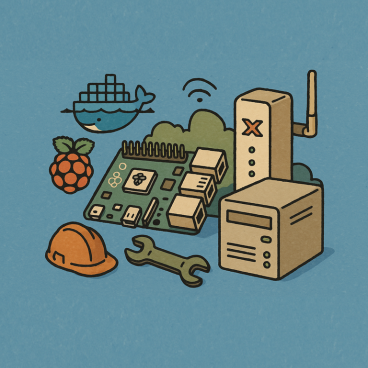
A homelab doesn’t have to be expensive. It just has to exist.
It’s not about how much you spend. It’s about what you learn. And 2025 is the best time to get started.
🧩 What Even Is a Homelab?
At its core, a homelab is just your own tech playground. A place to:
- Break and fix things safely
- Try out new software and platforms
- Learn skills beyond textbooks or YouTube
- Build confidence that translates directly into career progression
And you don’t need a server rack or a thousand-pound budget to make it happen.
🔌 Start With What You Have
Here’s your basic starter pack. Odds are, you already have most of this, you can have some, or all, or build over time
✅ Option 1: Old Laptop or Desktop
- Wipe it clean, install Linux or Proxmox
- Run Virtual Machines or containers to test software, set up firewalls, build websites
- Bonus: It’s totally isolated from your main machine
✅ Option 2: Raspberry Pi (or Pi Alternatives)
- Use a Pi 4 or 5 if you’ve got one — even a Pi Zero can teach you something
- Run Home Assistant, Pi-hole, Docker, Nextcloud, or even K3s
- Great for learning networking, automation, and Linux
✅ Option 3: Mini PC or Microserver
- Think Intel NUC, Beelink, Dell Wyse, etc.
- Low power, small form factor, powerful enough for VMs
- Perfect middle ground between laptop and server rack
✅ Option 4: Free Cloud Accounts
- Azure, AWS, and Google all offer free credits
- Learn real-world cloud skills without spending a penny
- We’ll walk you through deploying your first VM, container, or function
✅ Essential: Internet Access
- Any internet connection works — even tethering from your phone
- Just be mindful of data limits if you’re going this route
🧠 What Should You Run First?
Here’s a taste of what you can do with even a simple setup:
- Run your own website or blog (like this one)
- Deploy your first VM or Docker container
- Set up a firewall and learn networking the hard way
- Build a file server or personal cloud storage
- Install a honeypot and learn security detection
We’ll be covering all of these — with step-by-step guides. (check back soon, we’re working on those)
🛎️ Coming Up Next…
We’re going to walk you through:
- Picking and setting up your first device
- Building on free-tier cloud accounts
- Installing Proxmox, Docker, or Linux for the first time
- Connecting it all together and actually doing something with it
So go find that old laptop. Dig out that unused Pi.
Sign up for your Azure free account.
And follow us here or on YouTube so you don’t miss the next step.
💬 Final Thought
“You don’t need permission to get better.
You just need curiosity and a bit of time.”
We’re building a low-cost lab in a real garage with real gear — and you can follow along or build your own.
It’s not about flexing. It’s about leveling up.


ReadTheManual is run, written and curated by Eric Lonsdale.
Eric has over 20 years of professional experience in IT infrastructure, cloud architecture, and cybersecurity, but started with PCs long before that.
He built his first machine from parts bought off tables at the local college campus, hoping they worked. He learned on BBC Micros and Atari units in the early 90s, and has built almost every PC he’s used between 1995 and now.
From helpdesk to infrastructure architect, Eric has worked across enterprise datacentres, Azure environments, and security operations. He’s managed teams, trained engineers, and spent two decades solving the problems this site teaches you to solve.
ReadTheManual exists because Eric believes the best way to learn IT is to build things, break things, and actually read the manual. Every guide on this site runs on infrastructure he owns and maintains.
Enjoyed this guide?
New articles on Linux, homelab, cloud, and automation every 2 days. No spam, unsubscribe anytime.