You can build a perfect bridge over the stream and still watch the people who have lived there longest pick their way across the fallen tree branch – because that is how it has always been done.
That, in one image, is most cloud estates. Somebody built the proper crossing. Everyone keeps using the log.
I’ve spent 20 years building infrastructure, a lot of it in Azure, and the single most common way an estate turns into a mess is also the most reasonable-sounding decision in cloud: “it’s quicker to just deploy it where something already works.” This is the guide to the boundaries that decision quietly tramples – subscriptions, resource groups and tags – and, just as importantly, why one of the old rules about them is now wrong.
New Subscription or New Resource Group? (Short Answer)
Create a new resource group when you just need grouping: the resources live and die as one unit and the same people need the same access. Create a new subscription when you need a real boundary: separate billing or cost ownership, a different policy or compliance scope, security blast radius, quota headroom, or a brand-new workload that a landing zone accelerator can vend a governed subscription for in minutes. The old “more subscriptions is messy” rule expired when management groups and Azure Policy (around 2018) and the enterprise-scale guidance (2020) made new subscriptions inherit their guardrails at creation. Tags carry everything cross-cutting, and they only work if Azure Policy makes them mandatory.
Three tools, three different jobs
Azure gives you three ways to organise an estate, and most teams reach for whichever is closest rather than whichever is right:
- Subscriptions are the big boundaries: billing, policy and governance scope, scale and quota limits, and security blast radius. This is where you separate environments and business units.
- Resource groups are lifecycle boundaries: the things that get deployed, managed and deleted together and share the same access.
- Tags are the metadata layer: owner, cost centre, environment, criticality, data classification. The things you need to slice and report on that are not a hard boundary.
Get these confused and you do not just end up untidy. You end up with a security problem and a cost problem you cannot see yet.
The decision: new subscription, or new resource group?
Strip away the jargon and it comes down to one question: do you need a new boundary, or just a new grouping inside one you already have?
Create a new resource group when you just need grouping. The test is lifecycle and access:
- The resources are deployed, managed and deleted as a single unit.
- The same people need the same access to all of them.
- Rule of thumb: if it lives and dies as a unit, it is a resource group.
Create a new subscription when you need a real boundary. Any one of these is enough reason on its own:
- Billing or cost ownership – you want clean cost attribution, or a business unit owns the spend.
- Governance or compliance scope – a different policy regime, regulatory requirement, or data residency rule applies.
- Security and blast radius – you want a compromise or a misconfiguration in one workload to stop at a hard edge, not bleed into everything next to it. Production and non-production should almost never share one.
- Scale headroom – subscriptions have limits, and a busy workload can hit them. A boundary gives it room.
- It is simply new – and this is the part people forget. Microsoft’s application landing zone accelerators will vend a fresh, preconfigured subscription with the right resources already in it, often quicker than retrofitting your workload into someone else’s.
Tags then sit across all of it – the cross-cutting facts (owner, cost centre, environment) you need to report and act on regardless of where something lives. Make them mandatory with Azure Policy, or they will be half-applied and useless.
“More subscriptions is bad” used to be true. Here is what changed.
If you have been around Azure long enough, avoiding new subscriptions feels like good hygiene – and once, it was. In the early days a subscription was an island. More subscriptions meant more repetition, more manual setup, and more drift: every new subscription was a fresh chance to configure something slightly differently, and nothing tied them together or kept them consistent. Piling everything into a subscription you already had was the rational choice.
Then the tooling caught up, in two steps:
- Around 2018, management groups and Azure Policy arrived. Now you could organise subscriptions into a hierarchy and enforce rules across all of them automatically. Inheritance replaced repetition – set a guardrail once at the top, and every subscription beneath it complies.
- In 2020, the enterprise-scale landing zone guidance pulled it together into a reference architecture: management groups, policy as code, and subscription vending as a repeatable pattern.
The result is that the original reason to fear subscriptions is gone. With the scaffolding in place, a new subscription inherits its guardrails the moment it is created – it lands already governed. You can now organise as fine-grained as makes sense for your circumstances, a subscription per workload or per environment, without the old penalty of drift and manual toil.
So when someone resists creating a subscription “because more subscriptions is messy,” they are applying a rule that expired years ago. It is the fallen-log crossing: a habit that outlived the reason it made sense.
What the convenience habit actually costs
Deploying by convenience instead of by boundary is not a tidiness issue. It has two bills attached, and neither shows up immediately.
It collapses your security boundaries. When you drop a workload wherever you already have access, it inherits the host’s blast radius – the same network segment, the same permissions, the same identity. A compromise next door now reaches your workload, and yours reaches everything else around it. The boundary you skipped was a security boundary, whether you meant it to be or not.
It builds resources nobody can turn off. Every messy estate has the service that has been running untouched for two years that nobody remembers standing up. It never gets decommissioned, because turning off a thing you do not understand is scarier than paying for it. So it sits there – an unmanaged cost line and an unwatched piece of attack surface. A backdoor with a billing line attached. This is where good naming and mandatory tags earn their keep: an owner tag and a meaningful name turn “nobody knows what this is” into a thirty-second conversation.
The right way should be the quickest way
Here is the reframe that matters. A landing zone is not a project you finish – it is an enablement framework, always evolving. Its real job is to make the right decision the easy one: placement obvious, compliance automatic, a correctly-built subscription minutes away rather than a week of tickets.
When that is true, “it’s quicker to just put it here” stops being true. The quick path and the correct path become the same path, and the convenience habit dies on its own because the right thing is now the path of least resistance.
And when the right way still isn’t the way people go, that is rarely a cloud problem. The platform being right is not the same as the platform being used. Building the crossing is the easy half. The rest – getting people to stop trusting the log – is the work that does not appear in any architecture diagram.
The Career Angle: Boundary Judgment Is What Interviews Test
If you’re building an Azure career, notice what this decision actually exercises: security thinking (blast radius), FinOps thinking (cost attribution and the resource nobody can turn off), and governance thinking (policy scope and inheritance) – all in one everyday choice. That combination is precisely what separates the £45k-65k Azure engineer band from the £70k+ architect band in the UK, because it’s the judgment that stops estates becoming the mess someone else gets paid to untangle.
It’s also directly interviewable. “When would you create a new subscription rather than a resource group?” is a stock question, and most candidates answer with the mechanics. The stronger answer is the one this article gives you: name the boundary types, then point out that the “avoid subscription sprawl” instinct expired in 2018 when inheritance replaced repetition. Knowing a rule is one thing; knowing when a rule died is what reads as experience. You can practise the whole pattern without an employer’s tenant – our learning Azure for free guide covers building management groups and policies on free credits.
Where to go deeper
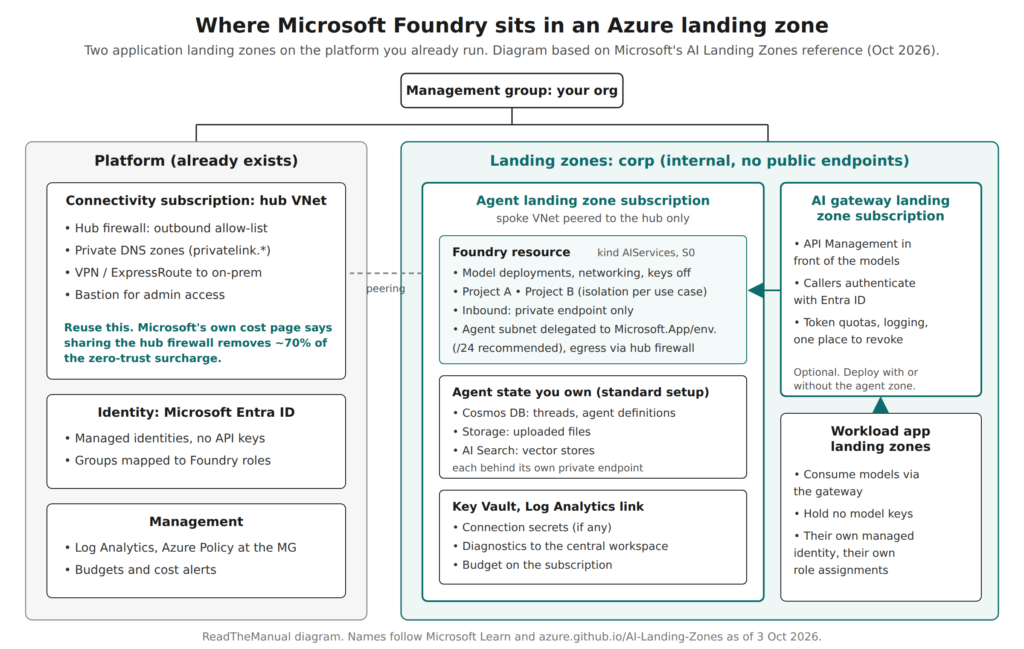
If you are still untangling what a “landing zone” even is – because the phrase means anything from a single subscription to a full enterprise platform – start with Which Azure landing zone do you actually need?
For the canonical definitions, Microsoft’s Cloud Adoption Framework covers landing zones and the eight design areas, management groups and Azure Policy are the governance backbone, and the enterprise-scale guidance is the reference architecture that made many subscriptions manageable. New to Azure altogether? Our Azure AZ-104 series covers the ground underneath all of this, starting with identity and governance.
Related on ReadTheManual
- Which Azure Landing Zone Do You Need?
- Azure Identity & Governance: Entra ID, RBAC, and Policy
- Identity Is the New Castle Walls: Machine Identity Governance
RTFM Apparel · printed in the UK


ReadTheManual is run, written and curated by Eric Lonsdale.
Eric has over 20 years of professional experience in IT infrastructure, cloud architecture, and cybersecurity, but started with PCs long before that.
He built his first machine from parts bought off tables at the local college campus, hoping they worked. He learned on BBC Micros and Atari units in the early 90s, and has built almost every PC he’s used between 1995 and now.
From helpdesk to infrastructure architect, Eric has worked across enterprise datacentres, Azure environments, and security operations. He’s managed teams, trained engineers, and spent two decades solving the problems this site teaches you to solve.
ReadTheManual exists because Eric believes the best way to learn IT is to build things, break things, and actually read the manual. Every guide on this site runs on infrastructure he owns and maintains.
Enjoyed this guide?
New articles on Linux, homelab, cloud, and automation every 2 days. No spam, unsubscribe anytime.