You Use It Every Day. Do You Actually Know How It Works?
You’re reading this over the internet. You probably checked your email, scrolled through LinkedIn, and maybe streamed something this morning — all over the internet. It’s so embedded in everything we do that we’ve stopped thinking about it, the same way you don’t think about the plumbing when you turn on a tap.
But here’s the thing: if you work in IT, or you’re trying to break into IT, “how does the internet work?” isn’t a casual question. It’s a foundation. When a client’s website goes down, when DNS isn’t resolving, when latency spikes on a VPN connection — the engineer who actually understands what’s happening between their keyboard and the server on the other end is the one who fixes it. Everyone else is guessing.
The internet has a history, and that history explains why it works the way it does. It also explains why centralising everything into three hyperscalers is an aberration, not a natural evolution. The internet was designed to be the exact opposite of that.
Let’s start at the beginning.
Career Context: “How does the internet work?” is a common interview question, and the depth of your answer reveals your level. A junior says “it connects computers.” A mid-level talks about TCP/IP and DNS. A senior explains packet switching, BGP, peering, and can trace a request from browser to server and back. This article gives you the senior answer.
The Cold War Problem: How Do You Build a Network That Survives a Nuclear Strike?
It’s 1962. The Cuban Missile Crisis has just brought the world to the edge of nuclear war. The US military has a problem that has nothing to do with missiles and everything to do with communication: their command-and-control network is centralised. If the Soviets take out one switching centre, huge chunks of the military communication network go dark.
This wasn’t a theoretical concern. The entire telephone network at the time worked on circuit switching — when you made a phone call, a dedicated physical circuit was established between you and the person you were calling. That circuit was yours for the duration of the call. It worked brilliantly for voice, but it had a fatal flaw: destroy the exchange in the middle, and every call going through it dies.
Paul Baran at RAND Corporation proposed something radical in 1964: packet switching. Instead of a dedicated circuit, break every message into small chunks — packets — and let each one find its own way through the network independently. If one route is destroyed, the packets route around the damage. No single point of failure. No central hub that, if taken out, brings everything down.
Meanwhile, across the Atlantic, Donald Davies at the UK’s National Physical Laboratory was independently developing the same concept. He actually coined the term “packet” — Baran had called them “message blocks,” which, to be fair, is a less catchy name.
The US Department of Defense’s Advanced Research Projects Agency (ARPA) took this idea and funded a network to connect research universities. The goal wasn’t the internet as we know it — it was resource sharing. Computing time was expensive. If UCLA had a powerful computer and Stanford needed to run calculations, it made sense to connect them rather than buy another machine.
On 29 October 1969, the first ARPANET message was sent from UCLA to Stanford Research Institute. The message was supposed to be “LOGIN.” The system crashed after “LO.” So the first message ever sent over the internet was “LO” — which, depending on your outlook, is either a glitch or poetry.
By December 1969, four nodes were connected: UCLA, Stanford Research Institute, UC Santa Barbara, and the University of Utah. The internet, in its most primitive form, existed.
Key Insight: The internet was designed from day one to be decentralised and resilient. There is no “centre” of the internet. There is no master server. This wasn’t an accident — it was the entire point. Every packet finds its own path. Every route has alternatives. The architecture that keeps the internet running when undersea cables get severed by anchors is the same architecture designed to survive a nuclear war.
TCP/IP: The Language That Made It All Work
ARPANET proved that packet switching worked, but it had a limitation: it was one network. By the early 1970s, other networks were springing up — ALOHANET in Hawaii (wireless packet radio), SATNET (satellite), various European networks. They all worked differently. Connecting them was like trying to have a conversation where everyone is speaking a different language.
Vint Cerf and Bob Kahn tackled this problem. In 1974, they published a paper describing a protocol that could connect different networks together — an “inter-net” protocol. This became TCP/IP (Transmission Control Protocol / Internet Protocol), and it’s the reason the internet exists as a unified global network rather than a collection of incompatible islands.
Here’s what TCP/IP actually does, in plain terms:
IP (Internet Protocol) handles addressing and routing. Every device gets a unique address (an IP address), and IP figures out how to get a packet from one address to another. It doesn’t guarantee the packet arrives — it just does its best to send it in the right direction. Think of it as the postal addressing system: it puts the address on the envelope but doesn’t track whether it arrives.
TCP (Transmission Control Protocol) handles reliability. It establishes a connection between two endpoints, breaks data into packets, numbers them so they can be reassembled in order, and requests retransmission if anything gets lost. TCP is the layer that turns IP’s best-effort delivery into a reliable communication channel.
Together, they solve the fundamental problem: any device, on any network, using any physical connection, can talk to any other device. Your phone on 4G can talk to a server in a datacentre connected by fibre. A Raspberry Pi on your home Wi-Fi can reach a VM on the other side of the world. Different networks, different hardware, different speeds — TCP/IP doesn’t care. It just works.
On 1 January 1983 — known as “Flag Day” — ARPANET officially switched from its original protocol (NCP) to TCP/IP. Every connected machine had to switch over simultaneously. It was, by all accounts, stressful. But it worked. And that’s the date many consider the true birth of the internet as we know it.
The Physical Internet: Actual Cables Under Actual Oceans
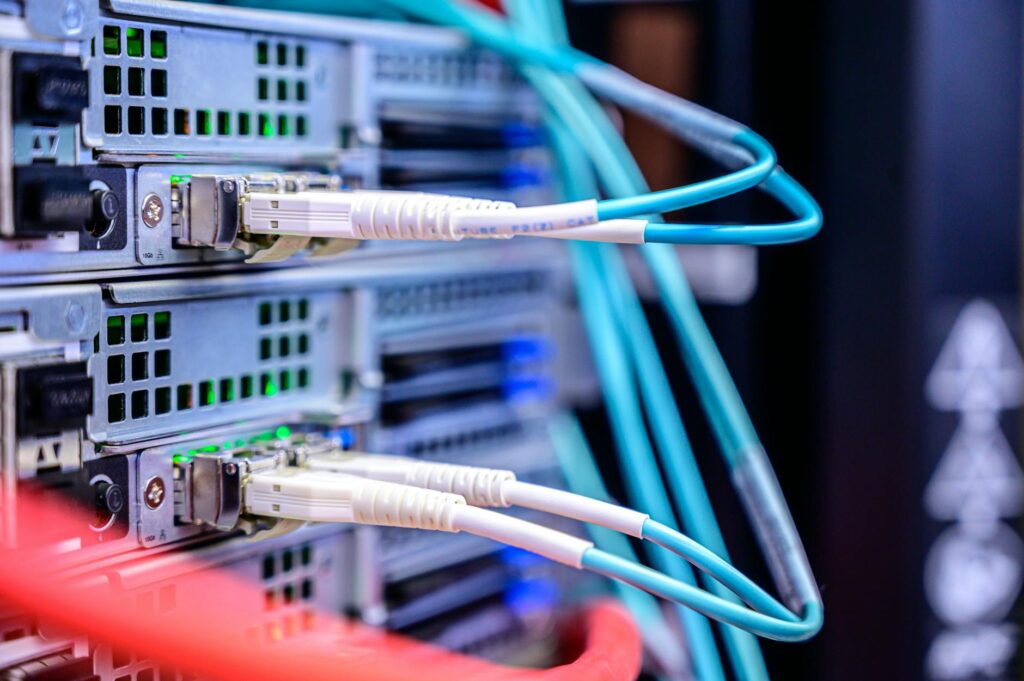
Here’s something that surprises people who should know better: the internet is not wireless. It’s not satellites (mostly). It’s not “the cloud.” It’s cables. Physical, tangible cables running under streets, across seabeds, and between buildings.
Over 550 submarine cables criss-cross the ocean floor, carrying roughly 99% of intercontinental data traffic. Some of them are as thin as a garden hose. They’re laid by specialised ships, they occasionally get damaged by fishing trawlers and ship anchors, and they are — quite literally — the backbone of the global internet.
When you send a request to a US-hosted website from the UK, your data travels from your router, through your ISP’s network, to a major Internet Exchange Point (IXP) like LINX in London, across a transatlantic cable, through another IXP in the US, through the hosting provider’s network, and finally to the server. The return journey follows the same kind of path — possibly a different one, because every packet makes its own routing decisions.
This physical infrastructure is organised in tiers:
- Tier 1 networks — the backbone providers (Lumen, NTT, Cogent). They own the intercontinental cables and peer with each other for free. They don’t pay anyone for transit.
- Tier 2 networks — regional ISPs and hosting providers. They peer with each other and pay Tier 1 providers for access to the rest of the internet.
- Tier 3 networks — your local ISP. They pay Tier 2 providers. You pay them. That’s the business model of the internet: everyone pays the layer above them, and the top layer peers for free.
Internet Exchange Points are where these networks physically connect to exchange traffic. LINX in London handles over 5 Tbps of peak traffic. DE-CIX in Frankfurt is even larger. These are actual buildings where hundreds of networks plug into the same switches. When people talk about “the internet” as if it’s ethereal, these are the rooms where it physically happens.
Practitioner Note: Understanding this physical layer matters. When a client in Manchester is experiencing latency to an Azure region in North Europe, knowing that traffic routes through London to Amsterdam via submarine cable helps you explain why 20ms latency is physics, not a configuration problem. You can’t fix the speed of light.
How Data Actually Travels
When you load a webpage, your browser doesn’t send a single message and receive a single response. Here’s what actually happens at the network level:
Your data is broken into packets — small chunks, typically around 1,500 bytes each (the Maximum Transmission Unit, or MTU, for most Ethernet networks). Each packet gets a header containing the source IP, destination IP, sequence number, and other metadata. The actual content — a piece of the webpage, a fragment of an image — is the payload.
Each packet is then routed independently through the network. Your router sends it to your ISP. Your ISP’s router examines the destination IP and consults its routing table — a map of which networks are reachable through which connections — to decide where to forward it. The next router does the same. And the next. Each of these steps is called a hop.
You can see this happening in real time with traceroute (Linux/Mac) or tracert (Windows):
traceroute readthemanual.co.ukEach line in the output is a hop — a router that your packet passed through on its way to the destination. The times shown are the round-trip latency to each hop. When you see a sudden jump from 10ms to 80ms, that’s usually the transatlantic cable crossing. Physics in action.
Every packet also has a TTL (Time to Live) — a counter that decreases by one at each hop. If it reaches zero, the packet is discarded. This prevents packets from looping forever if there’s a routing misconfiguration. The default TTL on most systems is 64 or 128 hops, which is more than enough for any real path across the internet.
At the destination, TCP reassembles the packets in the correct order using their sequence numbers, requests retransmission of any that got lost, and delivers the complete data to the application. You see a webpage. Underneath, hundreds or thousands of packets made independent journeys across the internet and arrived — mostly — in order.
From Military Project to Global Infrastructure
ARPANET was a military-funded research project. It was never intended to be what the internet became. The journey from “four universities connected by room-sized computers” to “4.9 billion people watching cat videos” happened in stages:
1983: TCP/IP becomes the standard. The internet, as a technical concept, is born.
1985: The National Science Foundation creates NSFNET, connecting supercomputing centres at US universities. This becomes the internet’s backbone for most of the late 1980s.
1989-1991: Tim Berners-Lee, working at CERN in Switzerland, invents the World Wide Web. This is the bit people confuse with the internet itself. The Web is not the internet. The Web is a system of hyperlinked documents (HTML pages) that runs on top of the internet, using HTTP (HyperText Transfer Protocol). The internet is the network infrastructure. The Web is one application that uses it — alongside email (SMTP), file transfer (FTP), remote access (SSH), and everything else.
This distinction matters. When someone says “the internet went down,” they usually mean their web browser can’t reach anything. But email, DNS, VPN connections, and SSH sessions are all separate services using the same underlying internet. Understanding this helps you troubleshoot — if the web is down but SSH works, the internet isn’t down; something is wrong with HTTP specifically.
1991: NSFNET lifts commercial restrictions. Businesses can now use the internet. This is the moment everything changes.
1993: Mosaic, the first graphical web browser, launches. Ordinary people can now use the Web without understanding Unix. The explosion begins.
1995: NSFNET is decommissioned. The backbone role transfers to commercial ISPs. The internet is now, fully and irreversibly, a commercial entity.
Modern Internet Architecture: BGP, CDNs, and Why Things Break
Today’s internet is held together by a protocol most people have never heard of: BGP (Border Gateway Protocol). If TCP/IP is the language of the internet, BGP is the map. It’s how networks tell each other what IP addresses they can reach and what the best path is to get there.
Every major network — every ISP, every cloud provider, every content delivery network — announces its IP ranges via BGP. Routers across the internet build their routing tables from these announcements. When you send a packet, the routing decisions made at each hop are based on BGP information.
BGP is also why things occasionally break in spectacular ways. It’s a trust-based protocol — if a network announces that it can reach a set of IP addresses, other networks believe it. In 2008, Pakistan Telecom tried to block YouTube within Pakistan by announcing YouTube’s IP ranges through BGP. The announcement leaked to the global internet, and for several hours, most of the world’s YouTube traffic was being routed to Pakistan and dropped into a black hole. One misconfiguration, global outage.
In 2021, Facebook went offline for over six hours because a routine maintenance operation accidentally withdrew all of Facebook’s BGP announcements. The internet essentially forgot Facebook existed. Their own engineers couldn’t get into the datacentres because the door access systems relied on — you guessed it — Facebook’s internal network, which was now unreachable.
BGP incidents are a useful reminder: the internet is not a monolith. It’s thousands of independent networks agreeing to forward each other’s traffic based on a set of announcements that they mostly just trust. It works astonishingly well for something held together by mutual agreement and routing tables.
CDNs (Content Delivery Networks) are the other major piece of modern internet architecture. Companies like Cloudflare, Akazon CloudFront, and Akamai run servers in hundreds of locations worldwide. When you request a webpage that uses a CDN, you’re served from the nearest edge server rather than the origin. This reduces latency and takes load off the origin server. When ReadTheManual loads for you, Cloudflare’s edge in Manchester or London is doing most of the work — not the origin server.
Why This Matters for Practitioners
Understanding how the internet works isn’t academic knowledge that looks good in interviews (though it does). It’s practical knowledge that changes how you troubleshoot.
When you know about routing and hops, you reach for traceroute before you reach for “restart the service.” When you understand BGP, you know that a regional outage might not be your infrastructure’s fault — it might be an upstream provider’s routing issue. When you understand that the internet is physical cables and peering agreements, you can explain to a frustrated client why their connection to a US server will never be faster than ~70ms from the UK, no matter how much they spend on their broadband.
And when you understand that the internet was designed to be decentralised, resilient, and distributed, you start to see the current landscape — where three companies control most of the world’s compute and a handful of CDNs cache most of the world’s content — for what it is: a temporary centralisation of something that was built to work the opposite way.
Self-hosting, homelabs, edge computing — these aren’t niche hobbies. They’re closer to the internet’s original design than the hyperscaler monoculture most people accept as normal.
“Explain how the internet works.”
“The internet is a global network of networks, connected by physical infrastructure — primarily fibre-optic cables, including over 550 submarine cables. Data is broken into packets which are routed independently through the network using TCP/IP. Routing decisions are made by BGP, which allows autonomous networks to share reachability information. The World Wide Web, email, and other services run on top of this infrastructure as application-layer protocols. There’s no central server — it’s a decentralised system where thousands of networks peer with each other at Internet Exchange Points.”
This answer shows you understand layers, physical infrastructure, and the distinction between the internet and the services that run on it. That’s senior-level thinking.
“What’s the difference between the internet and the World Wide Web?”
“The internet is the underlying network infrastructure — the cables, protocols, and routing that connect devices globally. The World Wide Web is one application that runs on the internet, using HTTP to serve hyperlinked documents. Email runs on the internet using SMTP. File transfers use FTP. SSH provides remote access. The Web is the most visible application, but it’s just one of many services built on top of the internet’s infrastructure.”
Getting this distinction right immediately signals that you think about infrastructure in layers — which is exactly how it’s built.
“A user reports that a website is slow. How do you troubleshoot?”
“I’d start by isolating where the latency is. traceroute shows the path and latency at each hop — a sudden jump might indicate an undersea cable crossing or a congested peering point. dig checks whether DNS resolution is slow. curl -w with timing variables breaks down the request into DNS lookup, TCP handshake, TLS negotiation, and server response time. If the latency is in the network path, it might be an upstream issue I can’t fix. If it’s in DNS, I can check the resolver. If it’s in the TLS handshake, the certificate chain might be too long. If it’s in the server response, it’s an application or server problem.”
This answer walks through systematic diagnosis layer by layer. That’s the payoff of understanding how data actually travels.
Career Application
On your CV:
- “Diagnosed and resolved network latency issues using traceroute, MTR, and packet analysis, reducing mean time to resolution by 40%”
- “Managed BGP peering relationships across multiple ISPs for high-availability internet connectivity”
- “Implemented CDN caching strategy reducing origin server load by 70% and improving global page load times”
In your homelab:
- Run
tracerouteto common destinations and learn to read the output. Understand where your ISP’s network ends and the wider internet begins. - Set up a Pi-hole and watch DNS queries in real time — you’ll learn more about how the internet works in a week than any course will teach you.
- Use Wireshark to capture and examine actual packets. Seeing TCP’s three-way handshake happen in real time makes the theory click.
In interviews:
Any question about networking, troubleshooting, or internet architecture is an opportunity to demonstrate depth. Most candidates give surface-level answers. Mentioning packet switching, BGP, or the physical cable infrastructure shows you understand the fundamentals that everything else is built on.
Next in the Series
- Part 2: How DNS Actually Works (And Why It’s Always DNS) — The system that turns names into numbers, and the most common source of outages in IT.
- Part 3: What Happens When You Type a URL — The full journey of a request, from keystroke to rendered page.
- Part 4: The Birth of Cloud Computing — From MIT time-sharing to hyperscalers. The history behind every VM you’ve ever launched.
The internet is infrastructure. Understanding it — really understanding it — makes you better at everything built on top of it.
RTFM Apparel · printed in the UK


ReadTheManual is run, written and curated by Eric Lonsdale.
Eric has over 20 years of professional experience in IT infrastructure, cloud architecture, and cybersecurity, but started with PCs long before that.
He built his first machine from parts bought off tables at the local college campus, hoping they worked. He learned on BBC Micros and Atari units in the early 90s, and has built almost every PC he’s used between 1995 and now.
From helpdesk to infrastructure architect, Eric has worked across enterprise datacentres, Azure environments, and security operations. He’s managed teams, trained engineers, and spent two decades solving the problems this site teaches you to solve.
ReadTheManual exists because Eric believes the best way to learn IT is to build things, break things, and actually read the manual. Every guide on this site runs on infrastructure he owns and maintains.
Enjoyed this guide?
New articles on Linux, homelab, cloud, and automation every 2 days. No spam, unsubscribe anytime.