
You have 50 servers. You need to install a package, update a config file, and restart a service on all of them. You could SSH into each one. Or you could write one Ansible playbook and let it handle all 50 simultaneously.
Ansible is the configuration management tool that doesn’t require agents on your managed nodes. SSH access and Python – that’s all you need. This makes it perfect for environments where you can’t (or won’t) install agent software everywhere.
Career Impact
Ansible is the gateway drug to Infrastructure as Code.
Configuration management skills separate sysadmins who scale from those who don’t. It is one of the tools you will see named most often in Senior Sysadmin, DevOps Engineer and Platform Engineer job descriptions.
What You’ll Learn
- What Ansible is and why it matters
- Inventory management
- Writing your first playbook
- Essential modules
- Best practices for real environments
Quick Reference
| Concept | What It Is | Example |
|---|---|---|
| Control Node | Machine running Ansible | Your laptop, a jump server |
| Managed Node | Machines Ansible manages | Servers, network devices |
| Inventory | List of managed nodes | inventory.ini or dynamic |
| Playbook | YAML file with tasks | deploy.yml |
| Task | Single action | Install package, copy file |
| Module | Code that performs tasks | apt, copy, service |
| Role | Reusable task collection | webserver, database |
| Idempotent | Safe to run multiple times | Same result every time |
Why Ansible?
The Problem It Solves
Without configuration management:
- SSH into servers manually
- Run commands one by one
- Hope you remember to do all of them
- No record of what you did
- Drift between servers over time
With Ansible:
- Define desired state in code
- Apply to any number of servers
- Version control your infrastructure
- Consistent, documented, repeatable
Why Ansible Over Puppet/Chef?
| Feature | Ansible | Puppet/Chef |
|---|---|---|
| Agent required | No (SSH only) | Yes |
| Language | YAML | Puppet DSL / Ruby (Chef) |
| Learning curve | Gentle | Steep |
| Idempotency | Built-in | Built-in |
| Enterprise features | AWX / Ansible Automation Platform (formerly Tower) | Enterprise versions |
| Windows support | Good | Varies |
Ansible’s agentless approach is its killer feature. No software to install, no ports to open, no agents to update.
Installation
Control Node Setup
As of October 2026 the current releases are ansible 14 (the full package, with collections) and ansible-core 2.21. Distro packages lag behind: Ubuntu 24.04 ships ansible 9 (core 2.16) and Ubuntu 26.04 ships ansible 13 (core 2.20), which is fine for learning. Do not use a bare pip install ansible on Ubuntu 24.04+ or Debian 12+: the system Python is marked “externally managed” (PEP 668) and pip refuses with error: externally-managed-environment. Use the OS package or pipx.
# Ubuntu/Debian (distro package)
sudo apt update
sudo apt install ansible -y

# Fedora, or RHEL/Rocky/Alma with EPEL enabled
sudo dnf install ansible -y
# (without EPEL, RHEL AppStream has the minimal ansible-core only)

# Latest release, any Linux/macOS: pipx installs into its own virtual environment
sudo apt install pipx -y        # or: sudo dnf install pipx
pipx install --include-deps ansible
pipx ensurepath                 # then open a new shell

# Verify
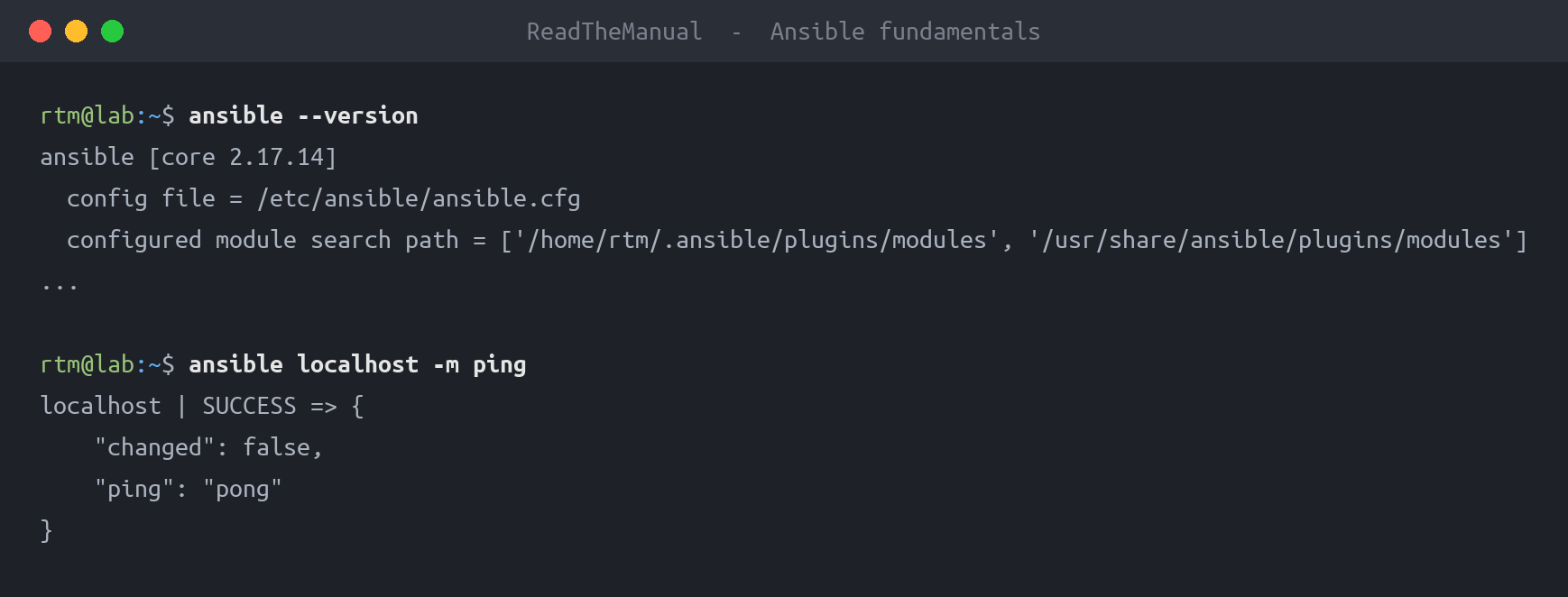
ansible --version
Managed Node Requirements
- SSH access (key-based preferred)
- Python installed (most Linux distros have it)
- User with sudo privileges
Inventory: Defining Your Targets
Basic Inventory File
Create inventory.ini:
[webservers]
web01.example.com
web02.example.com
192.168.1.50

[databases]
db01.example.com
db02.example.com

[all:vars]
ansible_user=admin
ansible_ssh_private_key_file=~/.ssh/ansible_key
Group Structures
[webservers]
web01
web02

[databases]
db01

[london]
web01
db01

[newyork]
web02

# Parent groups
[production:children]
webservers
databases
Testing Connectivity
# Ping all hosts
ansible all -i inventory.ini -m ping

# Ping specific group
ansible webservers -i inventory.ini -m ping

# Run command on all hosts
ansible all -i inventory.ini -m shell -a "uptime"
Your First Playbook
The Structure
Create first-playbook.yml:
---
- name: My first playbook
  hosts: webservers
  become: yes  # Run as sudo

  tasks:
    - name: Ensure nginx is installed
      apt:
        name: nginx
        state: present
        update_cache: yes

    - name: Ensure nginx is running
      service:
        name: nginx
        state: started
        enabled: yes
Running the Playbook
ansible-playbook -i inventory.ini first-playbook.ymlWhat Happens
- Ansible connects to each host in
webserversvia SSH - For each task, it checks current state
- If nginx isn’t installed, it installs it (idempotent)
- If nginx isn’t running, it starts it
- Reports what changed (or didn’t)
Essential Modules
Package Management
# apt (Debian/Ubuntu)
- name: Install packages
  apt:
    name:
      - nginx
      - vim
      - htop
    state: present
    update_cache: yes

# yum/dnf (RHEL/CentOS)
- name: Install packages
  dnf:
    name:
      - httpd
      - vim
    state: present

# package (generic - auto-detect package manager)
- name: Install package (auto-detect package manager)
  package:
    name: vim
    state: present
File Operations
# copy
- name: Copy config file
  copy:
    src: files/nginx.conf
    dest: /etc/nginx/nginx.conf
    owner: root
    group: root
    mode: '0644'
    backup: yes

# template (with variables)
- name: Deploy config from template
  template:
    src: templates/nginx.conf.j2
    dest: /etc/nginx/nginx.conf
  notify: Restart nginx

# file (create directories, symlinks)
- name: Create directory
  file:
    path: /var/www/myapp
    state: directory
    owner: www-data
    group: www-data
    mode: '0755'
Service Management
- name: Ensure service is running
  service:
    name: nginx
    state: started
    enabled: yes

- name: Restart service
  service:
    name: nginx
    state: restarted
Command Execution
# command (simple commands)
- name: Check disk space
  command: df -h
  register: disk_output

- name: Show disk space
  debug:
    var: disk_output.stdout_lines

# shell (when you need pipes/redirects)
- name: Find large files
  shell: find /var/log -type f -size +100M
  register: large_files
User Management
- name: Create user
  user:
    name: deploy
    groups: sudo
    shell: /bin/bash
    state: present

- name: Add SSH key for user
  authorized_key:
    user: deploy
    key: "{{ lookup('file', 'files/deploy_key.pub') }}"
Variables and Facts
Defining Variables
# In playbook
---
- hosts: webservers
  vars:
    http_port: 80
    app_name: myapp

  tasks:
    - name: Use variable
      debug:
        msg: "App {{ app_name }} runs on port {{ http_port }}"
In separate file (vars/main.yml):
http_port: 80
app_name: myapp
database_host: db01.example.com
Include in playbook:
- hosts: webservers
  vars_files:
    - vars/main.yml
Ansible Facts
Ansible automatically gathers system information:
- name: Show facts
  debug:
    msg: "OS: {{ ansible_distribution }} {{ ansible_distribution_version }}"

- name: Conditional based on OS
  apt:
    name: nginx
  when: ansible_os_family == "Debian"

- name: Different action for RHEL
  dnf:
    name: nginx
  when: ansible_os_family == "RedHat"
Common facts:
ansible_hostnameansible_distributionansible_os_familyansible_memory_mbansible_processor_coresansible_default_ipv4.address
Handlers and Notifications
Handlers run only when notified, and only once at the end:
---
- hosts: webservers
  become: yes

  tasks:
    - name: Copy nginx config
      copy:
        src: nginx.conf
        dest: /etc/nginx/nginx.conf
      notify: Restart nginx

    - name: Copy site config
      copy:
        src: site.conf
        dest: /etc/nginx/sites-available/default
      notify: Restart nginx

  handlers:
    - name: Restart nginx
      service:
        name: nginx
state: restartedConditionals and Loops
Conditionals
- name: Install on Debian
  apt:
    name: nginx
  when: ansible_os_family == "Debian"

- name: Skip if package exists
  apt:
    name: special-package
  when: special_condition is defined
Loops
- name: Install multiple packages
  apt:
    name: "{{ item }}"
    state: present
  loop:
    - nginx
    - vim
    - htop

- name: Create multiple users
  user:
    name: "{{ item.name }}"
    groups: "{{ item.groups }}"
  loop:
    - { name: 'alice', groups: 'sudo' }
    - { name: 'bob', groups: 'users' }
Roles: Organizing Playbooks
Role Structure
roles/
└── webserver/
    ├── tasks/
    │   └── main.yml
    ├── handlers/
    │   └── main.yml
    ├── templates/
    │   └── nginx.conf.j2
    ├── files/
    │   └── index.html
    ├── vars/
    │   └── main.yml
    └── defaults/
        └── main.yml
Using Roles
---
- hosts: webservers
  become: yes
  roles:
    - webserver
    - monitoring
Creating a Role
# Create role directory structure
ansible-galaxy init roles/webserver
Then populate roles/webserver/tasks/main.yml:
---
- name: Install nginx
  apt:
    name: nginx
    state: present

- name: Deploy config
  template:
    src: nginx.conf.j2
    dest: /etc/nginx/nginx.conf
  notify: Restart nginx

- name: Start nginx
  service:
    name: nginx
    state: started
    enabled: yes
Practical Playbooks
Playbook 1: Initial Server Setup
---
- name: Initial server setup
  hosts: all
  become: yes

  vars:
    admin_user: deploy
    ssh_port: 22

  tasks:
    - name: Update apt cache
      apt:
        update_cache: yes
        cache_valid_time: 3600

    - name: Install essential packages
      apt:
        name:
          - vim
          - htop
          - curl
          - git
          - ufw
        state: present

    - name: Create admin user
      user:
        name: "{{ admin_user }}"
        groups: sudo
        shell: /bin/bash

    - name: Add SSH key for admin
      authorized_key:
        user: "{{ admin_user }}"
        key: "{{ lookup('file', 'files/admin_key.pub') }}"

    # ufw is in the community.general collection: included in the full ansible
    # package; with ansible-core alone, run: ansible-galaxy collection install community.general
    - name: Configure UFW defaults
      ufw:
        direction: incoming
        policy: deny

    - name: Allow SSH
      ufw:
        rule: allow
        port: "{{ ssh_port }}"
        proto: tcp

    - name: Enable UFW
      ufw:
        state: enabled
Playbook 2: Deploy Application
---
- name: Deploy web application
  hosts: webservers
  become: yes

  vars:
    app_name: myapp
    app_path: /var/www/myapp
    app_repo: https://github.com/company/myapp.git

  tasks:
    - name: Install dependencies
      apt:
        name:
          - nginx
          - python3
          - python3-venv
        state: present

    - name: Create app directory
      file:
        path: "{{ app_path }}"
        state: directory
        owner: www-data
        group: www-data

    - name: Clone/update repository
      git:
        repo: "{{ app_repo }}"
        dest: "{{ app_path }}"
        version: main
      notify: Restart app

    - name: Install Python requirements
      pip:
        requirements: "{{ app_path }}/requirements.txt"
        # a venv, not system pip: Ubuntu 24.04+/Debian 12+ block system-wide pip installs
        virtualenv: "{{ app_path }}/venv"
        virtualenv_command: python3 -m venv
      notify: Restart app

    - name: Deploy nginx config
      template:
        src: nginx.conf.j2
        dest: /etc/nginx/sites-available/{{ app_name }}
      notify: Restart nginx

    - name: Enable site
      file:
        src: /etc/nginx/sites-available/{{ app_name }}
        dest: /etc/nginx/sites-enabled/{{ app_name }}
        state: link
      notify: Restart nginx

  handlers:
    - name: Restart nginx
      service:
        name: nginx
        state: restarted

    - name: Restart app
      systemd:
        name: "{{ app_name }}"
        state: restarted
Best Practices
Organization
- Use roles – Don’t put everything in one playbook
- Separate inventory – Different files for prod, staging, dev
- Variables hierarchy – Defaults < group_vars < host_vars
- Version control – Your playbooks are code, treat them like it
Security
- Ansible Vault – Encrypt sensitive variables
- Limit permissions – Use become only when needed
- Key-based auth – Never store passwords in inventory
- Audit playbooks – Review before running in production
# Ansible Vault commands
ansible-vault create secrets.yml
ansible-vault edit secrets.yml
ansible-playbook --ask-vault-pass playbook.yml
Reliability
- Always test – Use
--check(dry run) and--diff - Be idempotent – Running twice should have same result
- Handle errors – Use
ignore_errors,failed_when, blocks - Backup before change –
backup: yeson file operations
Interview Questions
Q1: “What makes Ansible different from Puppet or Chef?”
Good Answer: “Ansible is agentless – it connects via SSH and doesn’t require software installed on managed nodes. This makes it easier to adopt in existing environments. It uses YAML for playbooks, which is more approachable than Puppet’s DSL or Chef’s Ruby. The trade-off is that push-based execution means you need to run playbooks to apply changes, whereas Puppet/Chef agents continuously enforce state.”
Q2: “Explain idempotency and why it matters in configuration management.”
Good Answer: “Idempotency means running something multiple times produces the same result as running it once. In Ansible, if I run a playbook that ensures nginx is installed and running, it checks the current state first. If nginx is already installed and running, it does nothing. This is critical because it means I can safely re-run playbooks without worrying about unintended side effects or errors from trying to install something that’s already there.”
Q3: “How would you handle different configurations for production vs staging environments?”
Good Answer: “I’d use group_vars. Create group_vars/production.yml and group_vars/staging.yml with environment-specific variables like database hosts, credentials, and feature flags. The playbook stays the same but references variables. Inventory files define which hosts belong to which environment. Sensitive variables go in Ansible Vault. This way, one playbook works for all environments with the differences handled by variables.”
Career Application
On Your Resume
- “Managed 100+ server configuration using Ansible playbooks and roles”
- “Reduced server deployment time from 2 hours to 15 minutes with Ansible automation”
- “Implemented infrastructure as code practices using Ansible and Git”
Demonstrate
- Understanding of idempotency
- Role organization
- Security practices (Vault)
- Real-world problem solving
Next Steps
- Practice: Pick a manual setup process and convert it to an Ansible playbook
- Explore: Ansible Galaxy for pre-built roles
- Continue series: Learn infrastructure provisioning with Terraform
Configuration management is how you scale. What starts as one playbook becomes your entire infrastructure defined as code. Start small, think big.
Part 3 of 4
This guide is part of the Automation Fundamentals series. See the full series for more guides like this.

Frequently Asked Questions
What is Ansible and why is it called agentless?
Ansible is a configuration management and automation tool that connects to remote machines over SSH (Linux) or WinRM (Windows) to execute tasks. It is agentless because it does not require any software installed on the managed nodes, unlike Puppet or Chef which need agents running on every server.
Should I learn Ansible or Puppet for configuration management?
Ansible is the better starting point for most infrastructure engineers. It uses YAML (easy to read), requires no agents on managed nodes, and has a lower learning curve. Puppet uses its own DSL and requires agent installation. Ansible dominates in cloud and DevOps roles, while Puppet is more common in traditional enterprise environments.
What are Ansible playbooks and how do they work?
Playbooks are YAML files that define a set of tasks to execute on remote hosts. Each task calls a module (like apt, copy, service, or user) with specific parameters. Playbooks run top-to-bottom and are idempotent, meaning running them multiple times produces the same result without duplicating changes.
Can Ansible manage both Linux and Windows servers?
Yes. Ansible manages Linux servers over SSH and Windows servers over WinRM. Windows modules include win_feature, win_service, win_copy, and win_regedit. You need to configure WinRM on Windows hosts and use the appropriate connection plugin, but the playbook structure remains the same.
How do I get started with Ansible on my homelab?
Install Ansible on a control node (any Linux machine or WSL), create an inventory file listing your target hosts, set up SSH key authentication, then write your first playbook. Start with simple tasks like installing packages or copying files. A homelab with 2-3 VMs or Raspberry Pis is the perfect Ansible learning environment.
RTFM Apparel · printed in the UK


ReadTheManual is run, written and curated by Eric Lonsdale.
Eric has over 20 years of professional experience in IT infrastructure, cloud architecture, and cybersecurity, but started with PCs long before that.
He built his first machine from parts bought off tables at the local college campus, hoping they worked. He learned on BBC Micros and Atari units in the early 90s, and has built almost every PC he’s used between 1995 and now.
From helpdesk to infrastructure architect, Eric has worked across enterprise datacentres, Azure environments, and security operations. He’s managed teams, trained engineers, and spent two decades solving the problems this site teaches you to solve.
ReadTheManual exists because Eric believes the best way to learn IT is to build things, break things, and actually read the manual. Every guide on this site runs on infrastructure he owns and maintains.
Enjoyed this guide?
New articles on Linux, homelab, cloud, and automation every 2 days. No spam, unsubscribe anytime.